
 Acer Laptop Batteries


 Acer Laptop Housing

 Kingston Laptop Ram

 Lexar Laptop SSD
 Laptop Touch Pad


Portable SSD & HDD Enclosures Sri Lanka – USB External Drive Cases

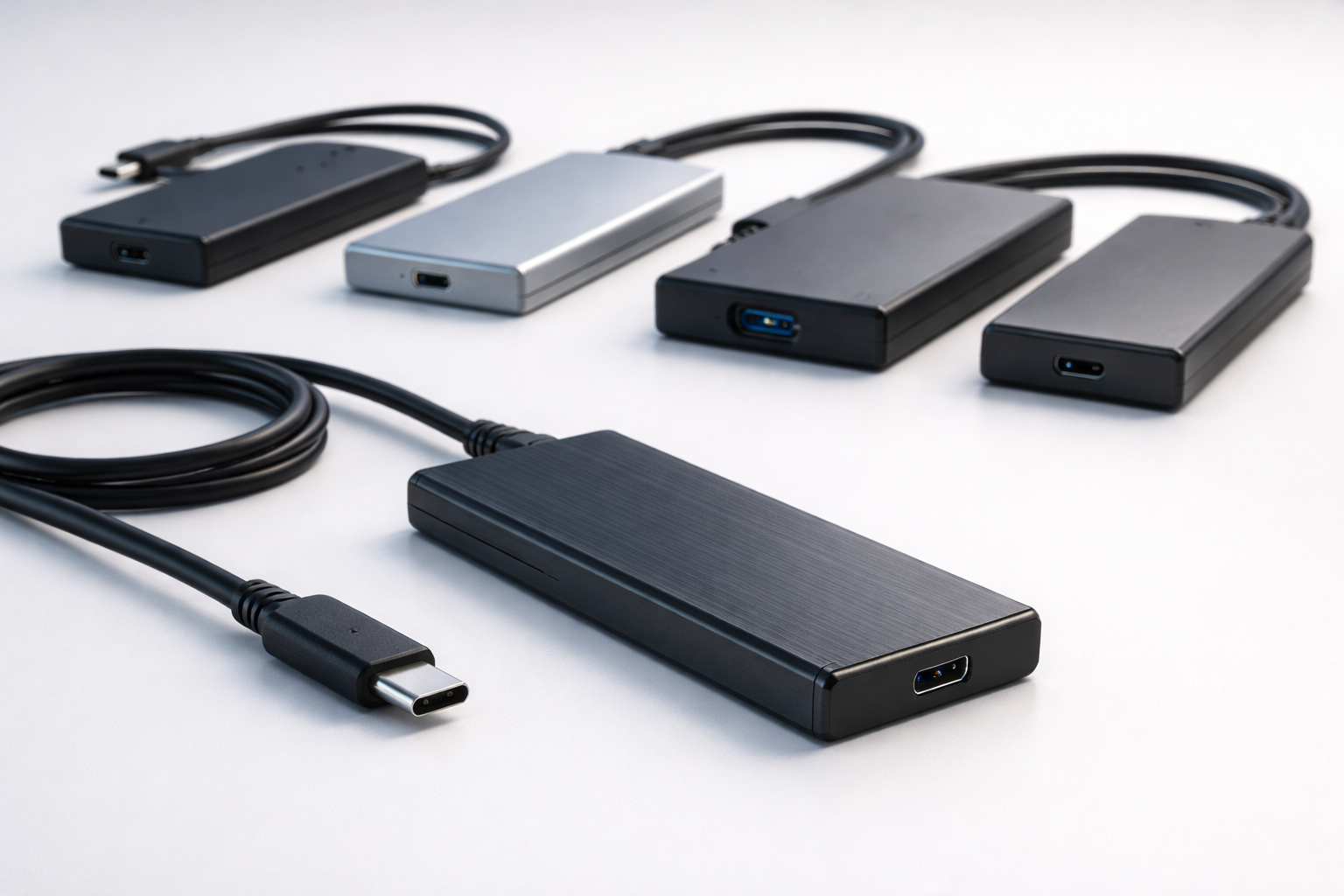
Many users in Sri Lanka upgrade from HDD to SSD and are left with a perfectly usable old drive. With a portable SSD/HDD enclosure, that drive can be converted into a fast external storage device for backups, movies and file transfers.
We supply external drive enclosures in Sri Lanka for both 2.5" SATA and M.2 SSDs, ideal for technicians, resellers and end users.
What This Product Is & Why It’s Important
An enclosure is a case with a USB interface that allows you to use an internal HDD or SSD as an external USB drive.
Common uses:
- Re-use old laptop HDD as portable storage
- External SSD for fast file transfer
- Carry backups between office and home
Key Features / Specifications
- Drive Type Supported:
- 2.5" SATA HDD/SSD enclosures
- M.2 SATA SSD enclosures
- M.2 NVMe SSD enclosures (selected models)
- Interface:
- USB 3.0 / 3.1
- USB Type-C (for newer devices)
- Speed:
- Fast data transfer (up to interface limits)
- Build:
- Metal or plastic casing
- Tool-free installation (on some models)
- Compatibility:
- Windows, macOS, Linux (plug and play)
Product Variants We Offer
- 2.5" SATA USB 3.0 enclosures
- 2.5" SATA USB Type-C enclosures
- M.2 SATA enclosures
- M.2 NVMe enclosures (where available)
Benefits of Buying From Us
- Good Quality Enclosures – Stable connection and consistent speed.
- Great Add-On for SSD Upgrades – Sell customer an enclosure with every HDD-to-SSD upgrade.
- Wholesale Pricing – Extra profit for computer shops and technicians.
- Islandwide Delivery – Supply across Sri Lanka.
How to Choose the Right Enclosure
- Identify Drive Type:
- 2.5" SATA vs M.2 SATA vs M.2 NVMe.
- Choose Interface Based on Device Ports:
- USB-A → USB 3.0 enclosure
- USB-C → Type-C enclosure
- Consider Speed Needs:
- For old HDD, any USB 3.0 is fine.
- For SSD, prefer faster USB 3.x or NVMe enclosures.
Common Problems & Solutions
- Problem: Drive not detected via USB
- Cause: Wrong enclosure type or faulty drive.
- Solution: Check if drive works internally; confirm SATA vs NVMe.
- Problem: Slow transfer speed
- Cause: Connected to USB 2.0 port or slow HDD.
- Solution: Use USB 3.0 port and SSD for higher throughput.
FAQ
Q1. Can I use my old laptop HDD as an external drive?
Yes, with a suitable 2.5" SATA enclosure.
Q2. Do enclosures need external power?
Most 2.5" SATA SSD/HDD enclosures are powered directly via USB.
Q3. Do you offer bulk discounts?
Yes. Shops and technicians get better prices for bulk quantities.
👉 Technicians & shops: Add an enclosure to every HDD upgrade and increase your job value – contact us for wholesale prices.
👉 Retail customers: Tell us what drive you have, and we’ll suggest the correct enclosure.
WhatsApp : 071 380 3838