
 Acer Laptop Batteries


 Acer Laptop Housing

 Kingston Laptop Ram

 Lexar Laptop SSD
 Laptop Touch Pad


Laptop DC Jack Sri Lanka – Power Jack Replacement for Charging Issues

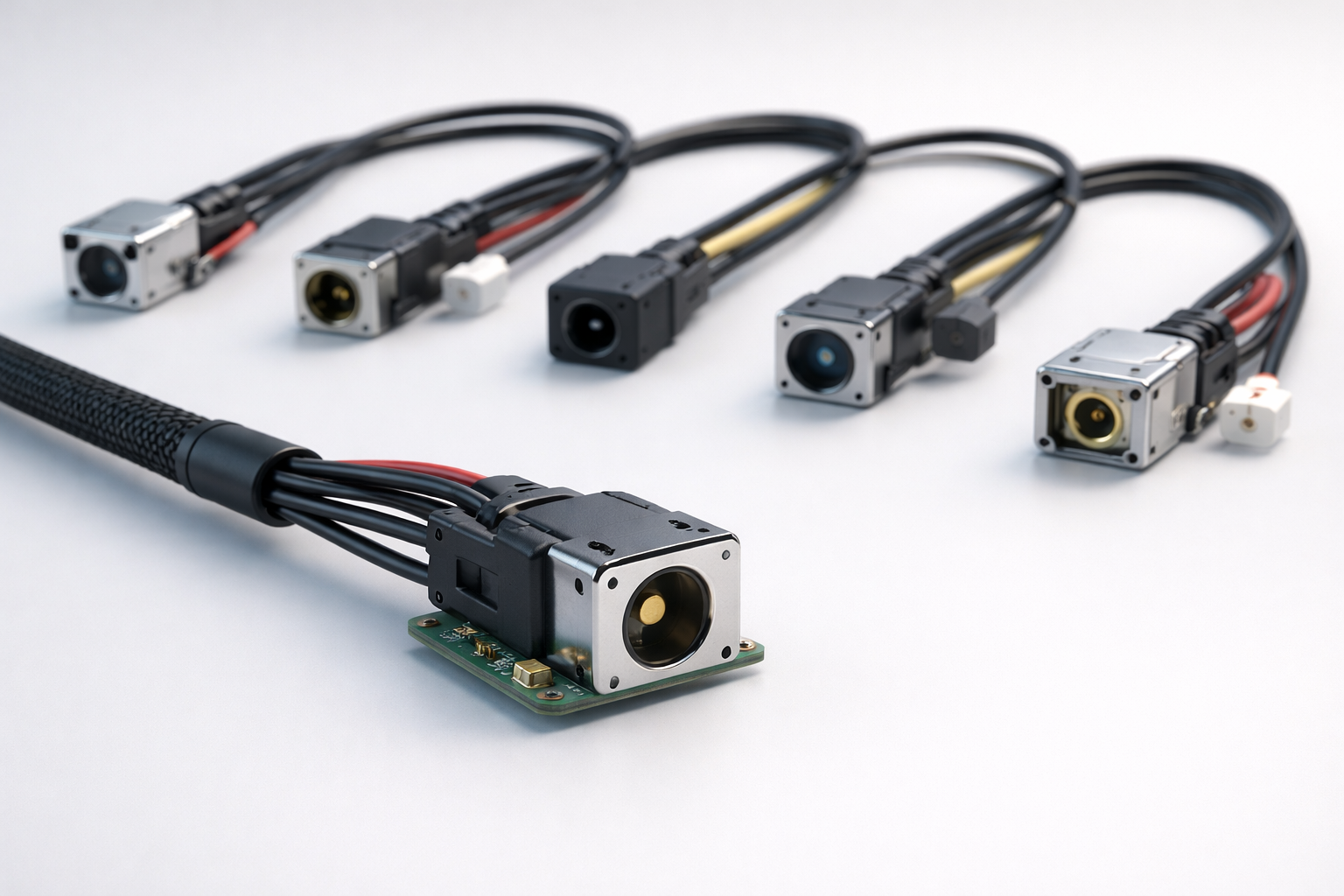
One of the most frequent faults seen in Sri Lankan laptop repair shops is a loose or broken charging port. Customers complain that the laptop charges only when the plug is held at a certain angle, or it doesn’t charge at all. In many cases, the problem is the DC jack – not the charger.
We supply laptop DC jacks in Sri Lanka for all major brands, ideal for repair centers, technicians, resellers and refurbishers.
What This Product Is & Why It’s Important
The laptop DC jack (power jack) is the connector where you plug in the charger. It carries power from the adapter to the motherboard and battery.
Common failure symptoms:
- Charger must be wiggled to make contact
- Laptop charges intermittently or not at all
- Sparks or burning marks near the jack
- Loose or broken plastic around the port
A damaged DC jack can cause arcing, heat and motherboard damage, so proper replacement is essential.
Key Features / Specifications
- Connector Type:
- Brand-specific pin shape/size (HP blue pin, Dell pin, Lenovo square, etc.)
- Mounting Type:
- Cable-type DC jack (with wire harness)
- Solder-on board-mounted jack
- Compatibility:
- Exact model or DC jack type
- Build Quality:
- Solid contacts and secure plastic housing
- Warranty:
- Warranty against manufacturing defects (no physical misuse).
Product Variants We Offer
HP Laptop DC Jacks
Blue pin, yellow pin, standard pins
Cable and board-mounted types
Dell Laptop DC Jacks
Inspiron & Vostro DC power sockets
Slim pin and standard pin variants
Lenovo Laptop DC Jacks
Round, square & special-shaped jacks
Asus & Acer DC Jacks
Common barrel-type and model-specific connectors
Benefits of Buying From Us
- Model-Correct DC Jacks – Avoid poor contact and overheating.
- Ideal for Soldering Technicians – Bulk stock for board-level repair shops.
- Wholesale Pricing – Profit-friendly for laptop service centers.
- Islandwide Delivery – Quick supply for urgent charging repairs.
How to Choose the Right DC Jack
- Check Laptop Model:
- Useful for identifying jack family/type.
- Inspect Old Jack:
- Note shape, mounting style and connector pin.
- If Cable-Type:
- Check connector on motherboard end as well.
- Send Photos:
- Clear photos of old jack from multiple angles help correct matching.
Common Problems & Solutions
- Problem: Charger gets hot near plug
- Cause: Loose or burnt DC jack contacts.
- Solution: Replace jack; inspect motherboard pads.
- Problem: Laptop only charges if you hold the plug
- Cause: Broken or cracked jack.
- Solution: Replace DC jack with proper soldering.
- Problem: No lights, no power at all
- Cause: Dead jack or internal power issue.
- Solution: Check adapter → jack → motherboard; replace jack if faulty.
FAQ
Q1. Can I fix a DC jack with glue or tape?
No. This is a power component – it should always be properly replaced, not patched.
Q2. Do you supply DC jacks with cables attached?
Yes, many modern laptops use cable-type DC jacks, and we stock them.
Q3. Do you offer bulk prices?
Yes. Board-level repair centers and shops can get wholesale rates on DC jacks.
👉 Technicians & repair shops: Contact us now for laptop DC jack stock lists and bulk pricing.
👉 Retail users: If your charging port is loose or not working, share your laptop model and we’ll guide you to a proper fix through your technician.
WhatsApp : 071 380 3838