
 Acer Laptop Batteries


 Acer Laptop Housing

 Kingston Laptop Ram

 Lexar Laptop SSD
 Laptop Touch Pad


Laptop HDD Caddy Sri Lanka – 2nd Hard Disk & SSD Caddy for Optical Bay

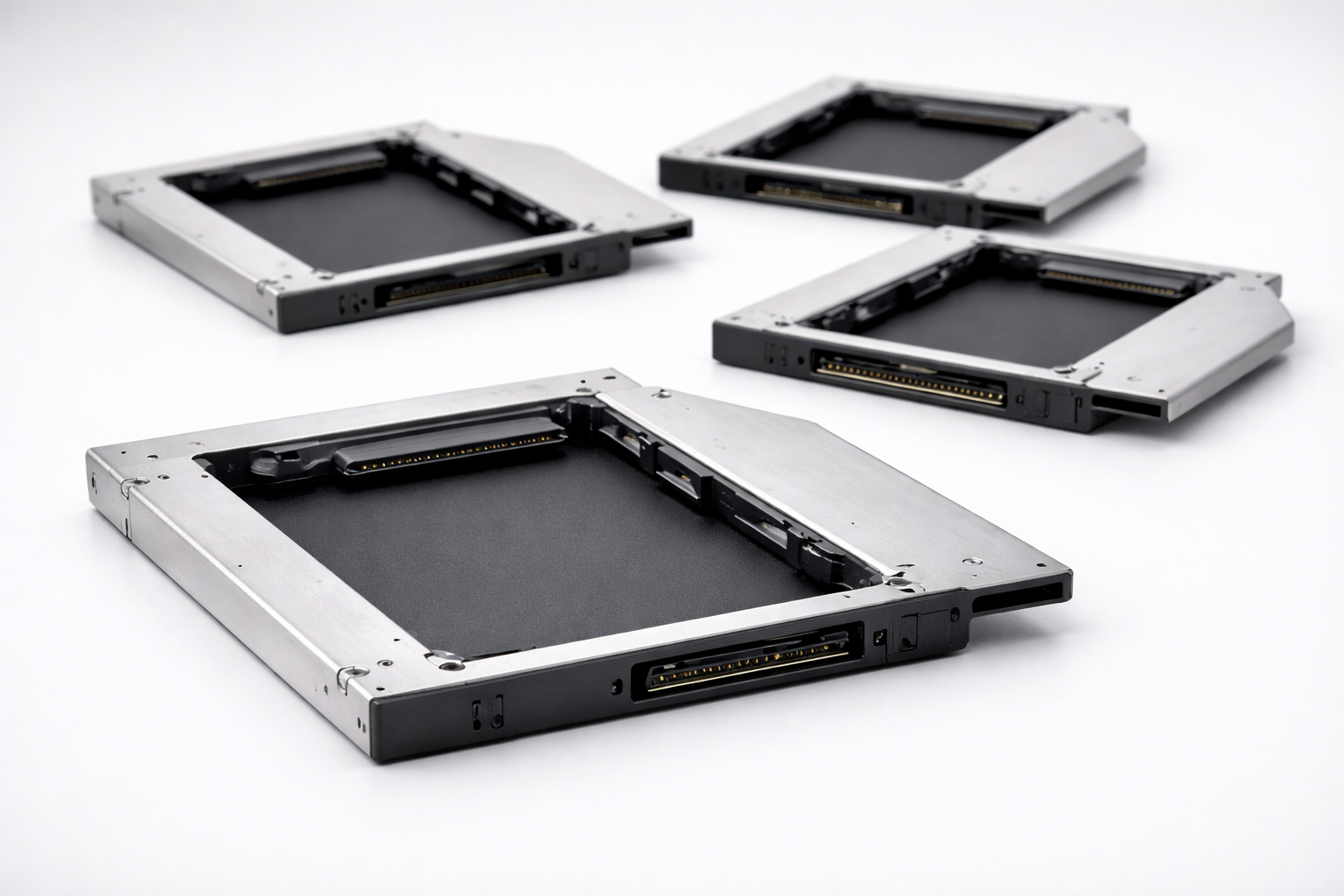
Many Sri Lankan users want more storage without losing their existing hard disk. For older laptops with DVD drives, the best solution is using an HDD caddy – a special tray that fits into the optical bay and holds a second HDD or SSD.
We supply laptop HDD caddies in Sri Lanka for technicians, shops and power users who want to upgrade storage professionally.
What This Product Is & Why It’s Important
An HDD caddy is a metal/plastic tray that lets you install a 2.5" HDD or SSD in place of the DVD drive.
Benefits for users:
- Keep old HDD for data and add SSD for OS
- Extra storage for games, media and backups
- No need to carry external drives all the time
Key Features / Specifications
- Size:
- 9.5mm caddy
- 12.7mm caddy
- Drive Support:
- 2.5" SATA HDD or SSD
- Interface:
- SATA to SATA bridge (connects to laptop’s DVD SATA interface)
- Front Bezel Compatibility:
- Option to transfer original DVD bezel for better look
- Build Quality:
- Solid metal frame, stable fit, screw holes aligned
Product Variants We Offer
- 9.5mm universal SATA HDD caddies
- 12.7mm universal SATA HDD caddies
- Brand-specific front bezels (where applicable)
Benefits of Buying From Us
- Good Fit & Stable Connection – Proper alignment, less vibration.
- Ideal for Technicians and Upgrade Shops – Combine SSD + HDD for customers.
- Wholesale Pricing – Keep stock and upsell with every SSD upgrade.
- Islandwide Delivery – Supply to any district in Sri Lanka.
How to Choose the Right HDD Caddy
- Measure Original DVD Drive Height:
- 9.5mm or 12.7mm.
- Confirm Interface Type:
- Most modern drives use SATA; some very old ones may differ.
- Check Front Bezel Shape:
- To match laptop body line (optional but looks nicer).
Common Problems & Solutions
- Problem: Second drive not detected in BIOS
- Cause: Loose connection or wrong caddy size/interface.
- Solution: Reseat caddy; confirm SATA interface.
- Problem: Laptop boots slow after installing caddy
- Cause: Boot order or faulty HDD installed in caddy.
- Solution: Set SSD as primary OS drive in BIOS; test HDD for bad sectors.
FAQ
Q1. Can I use both my SSD and old HDD with a caddy?
Yes. Common setup: SSD as main drive + old HDD in caddy for data.
Q2. Will the DVD drive still work?
No, the caddy replaces the DVD drive.
Q3. Do you offer bulk prices?
Yes, technicians and computer shops get special rates on HDD caddies.
👉 Technicians & upgrade shops: Contact us for HDD caddy stock and wholesale pricing.
👉 Retail & power users: Tell us your laptop model and we’ll recommend the correct caddy size.
WhatsApp : 071 380 3838