
 Acer Laptop Batteries


 Acer Laptop Housing

 Kingston Laptop Ram

 Lexar Laptop SSD
 Laptop Touch Pad


USB Hub Sri Lanka – Multi-Port USB 2.0 & 3.0 Hubs for Laptops & PCs

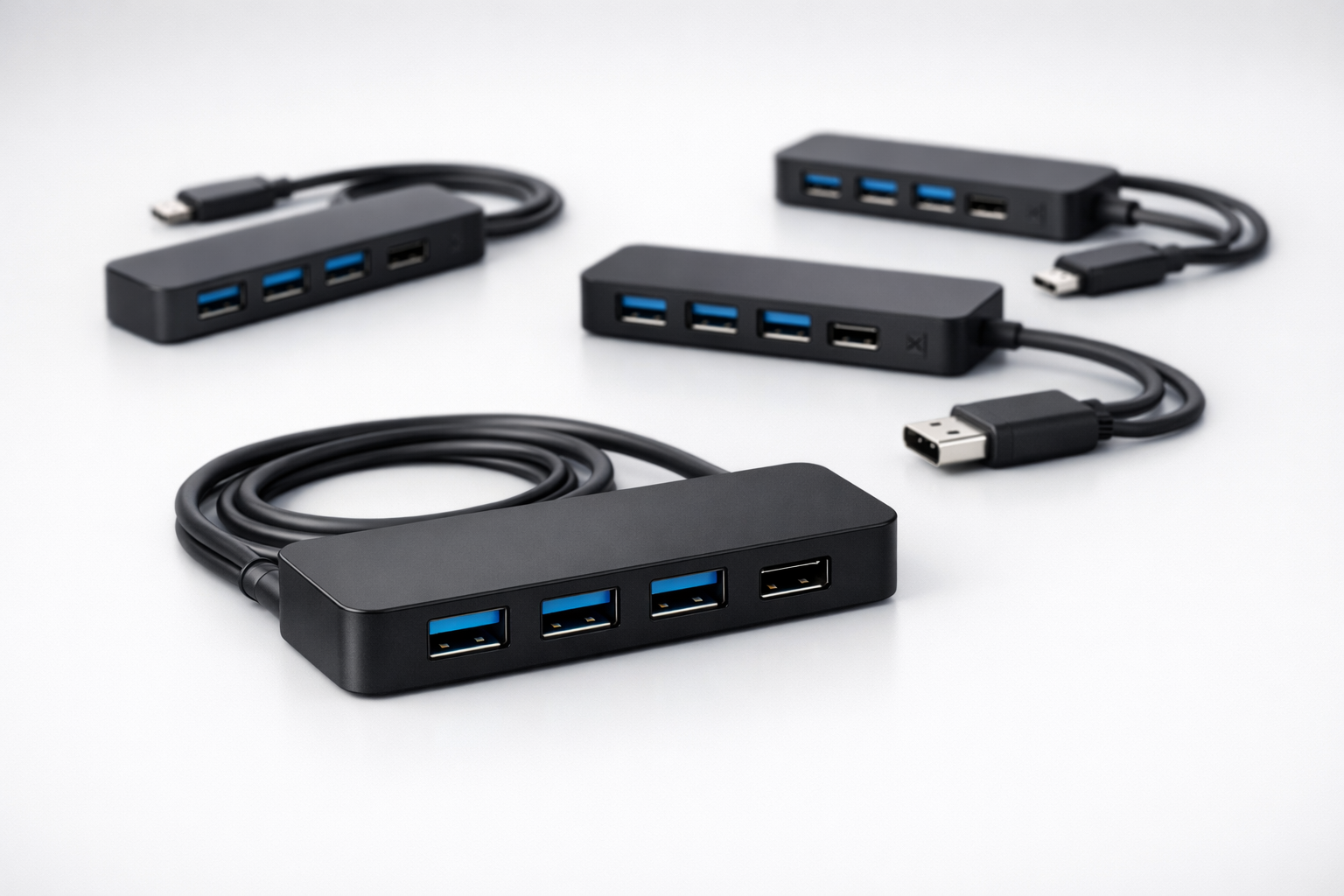
Modern laptops, especially slim models, often come with very few USB ports. In Sri Lanka, many users need to connect mouse, keyboard, pendrive, printer and phone at the same time. A USB hub is the easiest way to expand ports without changing the laptop.
We supply USB hubs in Sri Lanka in different configurations, suitable for end users, offices and IT resellers.
What This Product Is & Why It’s Important
A USB hub allows multiple USB devices to connect to a single USB port on a laptop or desktop.
Usage scenarios:
- Office desks with multiple peripherals
- Students using pendrives, mouse and phone charging together
- Technicians who connect several drives or tools simultaneously
Key Features / Specifications
- Number of Ports:
- 3-port, 4-port, 7-port hubs etc.
- USB Standard:
- USB 2.0
- USB 3.0 / 3.1 (for faster transfers)
- Power Type:
- Bus-powered (from laptop)
- Externally powered hubs (for multiple high-draw devices)
- Connector Type:
- USB-A
- USB-C hubs (for newer laptops)
- Build Quality:
- Strong cable, good port spacing, durable casing
Product Variants We Offer
- 4-port USB 2.0 hubs
- 4-port USB 3.0 hubs
- Multi-port USB 3.0 hubs with external power (selected models)
- USB-C hubs for newer laptops (as available)
Benefits of Buying From Us
- Reliable Hubs – Stable connectivity with reduced disconnects.
- Great for Offices & Students – Solve “not enough ports” instantly.
- Wholesale Pricing – Perfect add-on product for computer shops.
- Islandwide Delivery – Supply to any part of Sri Lanka.
How to Choose the Right USB Hub
- Check Laptop Ports:
- USB-A or USB-C, and how many you already have.
- Decide Speed Requirement:
- For mouse/keyboard only, USB 2.0 is enough.
- For external drives, choose USB 3.0 hub.
- Consider Power Needs:
- Many external hard disks or multiple devices → prefer powered hub.
Common Problems & Solutions
- Problem: Devices disconnect randomly
- Cause: Low-quality hub or power limitation.
- Solution: Use better hub and/or powered version.
- Problem: Slow transfer speed
- Cause: USB 2.0 hub used for high-speed devices.
- Solution: Use USB 3.0 hub and USB 3.0 port.
FAQ
Q1. Can I use an external HDD through a USB hub?
Yes, but for multiple drives, a powered USB hub is recommended.
Q2. Do you have USB-C hubs?
Yes, selected models are available – please check stock with us.
Q3. Do you offer bulk prices for offices or resellers?
Yes, we provide special pricing for bulk orders.
👉 Offices, students & home users: Contact us for the best USB hub options for your laptop or PC.
👉 Shops & resellers: Ask for our USB hub wholesale price list.
WhatsApp : 071 380 3838